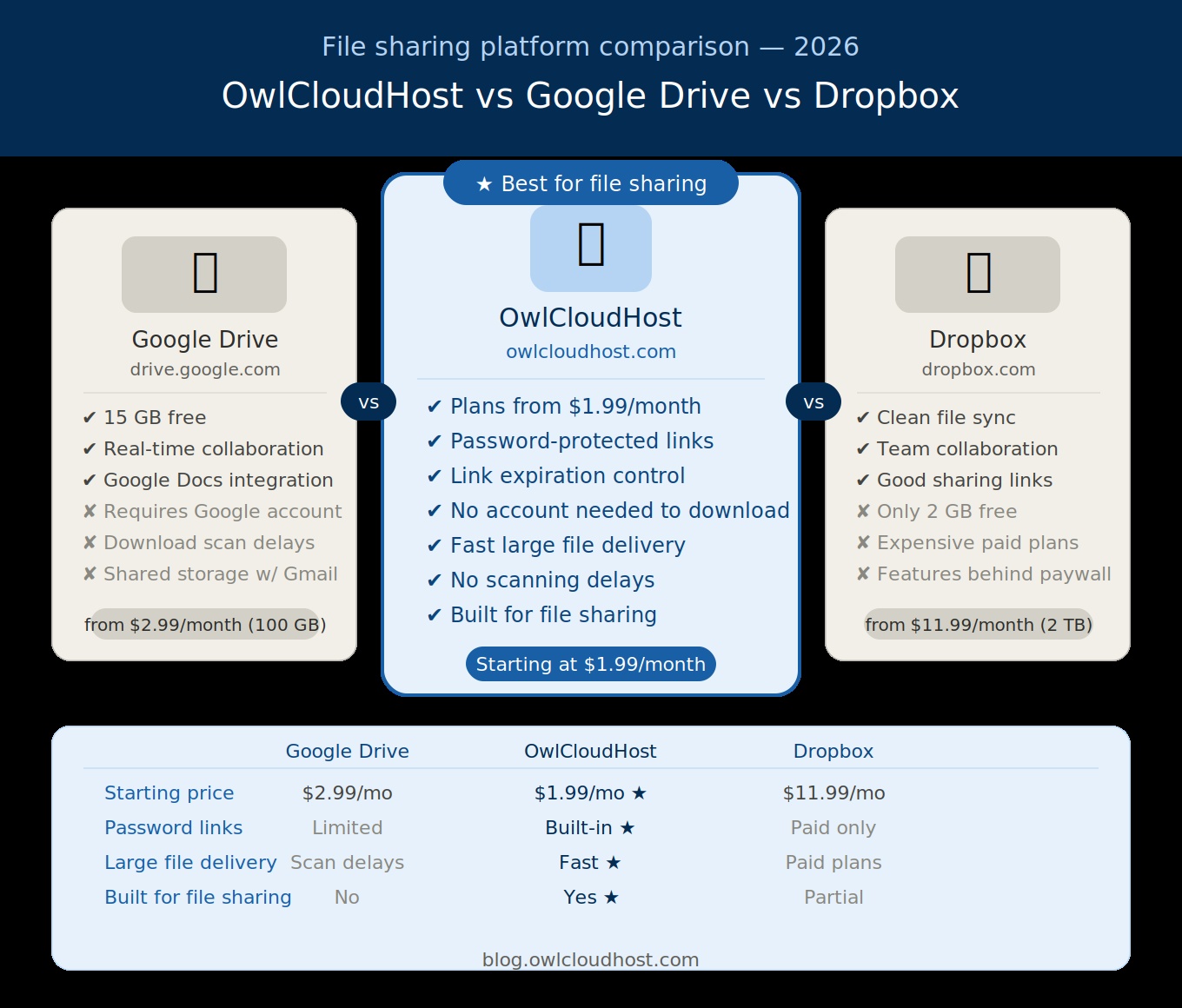
If you have been searching for the best cloud file sharing platform in 2026, you have likely come across the same three names over and over: Google Drive, Dropbox, and newer platforms like OwlCloudHost. Each one has its strengths — but they are built for very different purposes.
This guide breaks down exactly how these three platforms compare so you can make the right choice for your needs without wasting time or money.
A Quick Overview
Before diving into the details, it helps to understand what each platform was originally designed for.
Google Drive was built as a productivity and collaboration suite. It is deeply integrated with Google Docs, Sheets, Slides, and Gmail. Its primary strength is real-time document editing and team collaboration, not large file storage or delivery.
Dropbox started as a simple file sync tool — a way to keep the same files updated across multiple devices. Over the years it has expanded into a collaboration platform, but syncing remains its core identity.
OwlCloudHost was purpose-built for file hosting and large file sharing. Its focus is on giving individuals and businesses a fast, secure, and straightforward way to upload, store, and share files of any size — without the complexity of a full productivity suite.
Storage and Pricing
One of the most practical factors when choosing a cloud platform is how much storage you get and what it costs.
Google Drive offers 15 GB of free storage shared across Gmail, Google Photos, and Drive. Paid plans start at $2.99/month for 100 GB through Google One. While this sounds generous, many users find their free storage fills up quickly because emails and photos count toward the same limit.
Dropbox offers only 2 GB on its free plan — one of the most restrictive in the industry. Paid plans start at $11.99/month for 2 TB, which is a significant jump in cost for individuals or small businesses that only need a moderate amount of storage.
OwlCloudHost offers straightforward paid plans starting at just $1.99/month, with storage options designed specifically for file hosting rather than email or photo backups. You are paying for what you actually use — file storage and sharing — without subsidizing features you do not need.
Winner for value: OwlCloudHost for file hosting budgets; Google Drive for those already in the Google ecosystem.
File Sharing Features
This is where the differences between platforms become most significant — especially for businesses and freelancers who regularly share files with clients.
Google Drive allows you to share files and folders with specific people or via a public link. However, its sharing interface is designed around Google account users. Recipients without a Google account sometimes run into friction when accessing shared files, and download links for large files can be unreliable due to Google’s anti-virus scanning and traffic limits.
Dropbox offers clean sharing links and folder sharing for teams. Its Paper feature adds document collaboration, and its transfer tool (Dropbox Transfer) handles file delivery well. However, free plan users are heavily restricted, and many sharing features require a paid subscription.
OwlCloudHost is built with file sharing as the primary feature. Every file you upload can be shared instantly via a clean, direct download link. You can add password protection, set link expiration dates, control whether recipients can download or only view files, and track who has accessed your links. There are no file scan delays, no account requirements for recipients, and no artificial limitations on how many people can access a shared file.
Winner for file sharing: OwlCloudHost — built specifically for this use case.
Large File Handling
If you regularly work with large files — videos, design assets, RAW photos, audio recordings — the platform you choose makes a significant difference.
Google Drive imposes a 5 TB file size limit per file, which is technically generous. However, downloading large files from Google Drive can be inconsistent. Google often intercepts large downloads for virus scanning, which can cause delays or failed downloads for recipients.
Dropbox handles large files reasonably well on paid plans, with a 50 GB per-file limit on its Business plans. Free and Plus users are more restricted.
OwlCloudHost is optimized for large file uploads and downloads. Files are stored on professional infrastructure and delivered to recipients without the scanning delays or traffic throttling common on consumer platforms. For photographers, videographers, and agencies delivering large client files, this reliability is critical.
Winner for large files: OwlCloudHost for consistent delivery; Google Drive for raw file size limits.
Privacy and Security
When you store sensitive documents or client files in the cloud, security is not optional.
Google Drive encrypts files in transit and at rest. However, Google’s business model is built on data. While Google states it does not scan personal files for advertising purposes, the platform’s privacy policy gives the company broad rights to process your data for service improvement.
Dropbox also encrypts files and offers two-factor authentication. Its privacy practices are generally considered solid for a consumer platform. However, like Google, Dropbox is a large company with complex data processing terms.
OwlCloudHost is a focused file hosting platform built around user control. Files are encrypted, access is controlled by the account holder, and the platform does not rely on advertising revenue — which means your files are not part of any data processing or targeting system. Password protection and expiring links are built-in features for every account, not premium add-ons.
Winner for privacy: OwlCloudHost for simplicity and user control; Dropbox for enterprise compliance features.
Collaboration Features
If your primary need is working on documents with a team in real time, the platforms are not equal.
Google Drive wins this category outright. Google Docs, Sheets, and Slides offer the most capable real-time collaboration tools available at any price point. For teams that live inside Google Workspace, Drive is the obvious choice.
Dropbox offers Paper for document collaboration and integrates well with third-party tools like Slack and Zoom. It is a solid option for teams that need both file sync and lightweight collaboration.
OwlCloudHost is not a document editing or collaboration platform. It does not offer real-time co-editing or built-in team chat. Its focus is file storage, hosting, and delivery. If you need to edit a proposal with three colleagues simultaneously, Google Drive is the better tool for that specific task.
Winner for collaboration: Google Drive — it is purpose-built for this.
Ease of Use
All three platforms have intuitive interfaces, but their complexity differs.
Google Drive can feel cluttered for users who only want file storage. The integration with Google Workspace is powerful but can be overwhelming for those who simply want to upload and share a file quickly.
Dropbox is clean and well-designed, but its desktop sync client and the distinction between synced and non-synced files can confuse new users.
OwlCloudHost keeps things simple. Upload your files, create a link, share it. The interface is focused on file management without the noise of productivity tools, calendar integrations, or document editors competing for your attention.
Winner for simplicity: OwlCloudHost for file-focused users; Google Drive for productivity-focused teams.
Which Platform Should You Choose?
Here is a straightforward summary based on your primary use case:
Choose Google Drive if:
- You are already in the Google Workspace ecosystem
- You need real-time document collaboration with a team
- You want free storage that works well with Gmail and Google Photos
Choose Dropbox if:
- Your main need is keeping files in sync across multiple devices
- You work with a small team and need a polished collaboration experience
- You are willing to pay more for a premium feel
Choose OwlCloudHost if:
- You need to share large files with clients professionally and reliably
- You want password-protected, expiring download links
- You are a freelancer, photographer, videographer, or small business owner who delivers files to clients regularly
- You want straightforward file hosting without paying for features you do not use
Final Thoughts
Google Drive and Dropbox are excellent tools for what they were designed to do. But if your primary goal is uploading files and sharing them securely with clients or collaborators — without the overhead of a full productivity suite — OwlCloudHost is the more focused and cost-effective choice.
Sometimes the best tool is the one that does exactly what you need and nothing more.
Ready to try OwlCloudHost? Explore plans starting at $1.99/month at owlcloudhost.com.