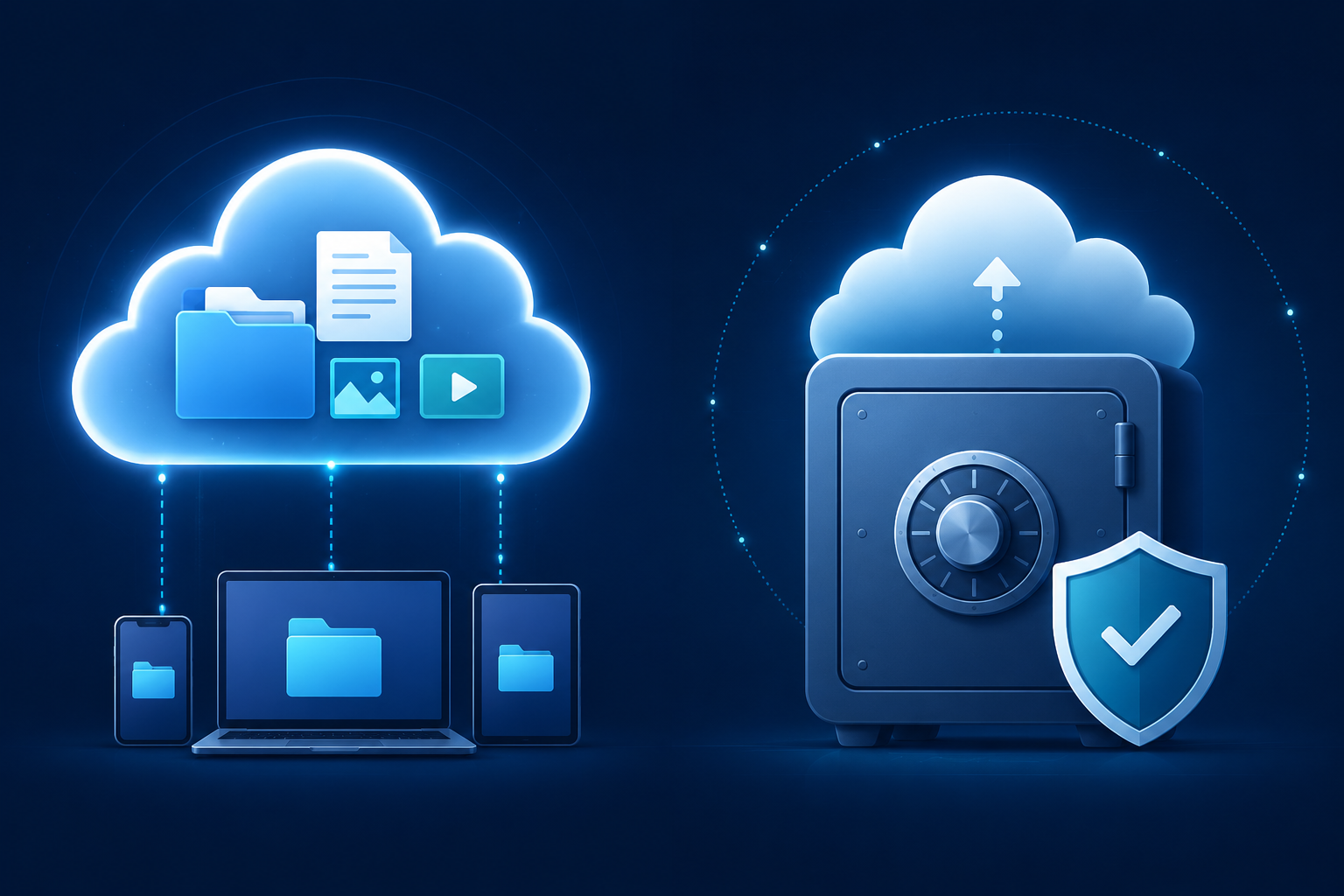
If you have ever searched for a way to protect your files online, you have probably come across two terms used almost interchangeably: cloud storage and cloud backup. They sound similar, and many services blur the line between them on purpose. But they are not the same thing, and understanding the difference can save you from a costly mistake — like thinking your files are protected when they are not.
This guide breaks down exactly what each one is, how they differ, and what most people actually need.
What Is Cloud Storage?
Cloud storage is a service that lets you save files to remote servers and access them from any device with an internet connection. Instead of keeping a document, photo, or video only on your laptop or phone, you upload it to the cloud and it becomes available everywhere.
Think of cloud storage as a digital hard drive in the sky. You put files in, you take files out, and you can share them with other people whenever you want. Services like Google Drive, Dropbox, and OwlCloudHost fall into this category.
Cloud storage is designed around access and sharing. The whole point is that your files are easy to reach, easy to send to others, and available across all your devices. It is ideal for files you are actively working with, projects you need to collaborate on, and documents you want to share with clients or colleagues.
Common uses for cloud storage include storing work documents you access regularly, sharing large files with clients or team members, keeping photos and videos accessible across devices, and organizing files you want to reach from anywhere.
What Is Cloud Backup?
Cloud backup is a service designed specifically to protect your data from loss. Instead of giving you easy access to individual files, its primary job is to make sure that if something goes wrong, you can recover everything.
When you set up a cloud backup, the service typically scans your device automatically and copies everything to a secure remote location. If your hard drive fails, your laptop gets stolen, or ransomware locks your files, your backup contains a full copy of your data that you can restore from.
Cloud backup is designed around protection and recovery. It runs quietly in the background, keeps multiple versions of your files over time, and makes sure nothing important is ever lost permanently. Services like Backblaze, Acronis, and IDrive are examples of dedicated cloud backup tools.
Common uses for cloud backup include protecting against hardware failure, recovering files after accidental deletion, restoring data after a ransomware attack, and maintaining historical versions of important documents.
The Key Differences
Although both involve storing files in the cloud, they work very differently.
The first difference is purpose. Cloud storage is built for convenience and access. Cloud backup is built for protection and recovery. They are solving two completely different problems, even if they both happen to live on remote servers.
The second is how files are handled. With cloud storage, you choose which files to upload and organize them manually. With cloud backup, the service automatically copies everything on your device, usually without you having to do anything after the initial setup. It runs in the background and handles itself.
Version history is another important distinction. Most cloud storage services keep only the current version of a file. If you overwrite a document, the old version is gone. Cloud backup services typically keep multiple versions over time, meaning you can restore a file to how it looked last week, last month, or even further back.
Deletion behavior is probably the most critical difference of all. If you delete a file from your cloud storage, it is gone. Some services have a trash folder with a short recovery window, but there is no long-term protection. Cloud backup services are designed to retain deleted files for extended periods, precisely because accidental deletion is one of the most common reasons people need to recover data.
Finally, there is access speed. Cloud storage is optimized for fast, frequent access. You open files, edit them, and share them constantly. Cloud backup is optimized for completeness and reliability, not speed. Restoring from a full backup can take hours or even days depending on how much data is involved, but when you need it, none of that matters.
A Common Misconception
Many people assume that because they use Google Drive, Dropbox, or another cloud storage service, their files are backed up. This is one of the most widespread misunderstandings about data protection.
Cloud storage syncs your files across devices. If you accidentally delete a folder on your laptop, that deletion syncs to the cloud and to every other device connected to your account. The file is gone everywhere. Cloud storage is not designed to protect you from your own mistakes or from events like ransomware that encrypt your files and push those changes to every connected device.
A real cloud backup service handles this differently. It keeps independent copies of your data that are not affected by what happens on your local device after the backup is created.
Do You Need Both?
For most people and businesses, the honest answer is yes.
Cloud storage handles your day-to-day workflow. You need a place to organize your files, access them from different devices, and share them with others quickly. That is what cloud storage does well.
Cloud backup handles the what-if scenarios. What if your laptop is stolen? What if a virus corrupts your files? What if an employee accidentally deletes an entire project folder? That is what cloud backup is designed for.
Using both together gives you the best of both worlds: easy access to your working files every day, and a safety net that protects everything you have built in case something goes wrong.
A Simple Way to Think About It
Here is a quick way to remember the difference: cloud storage is your online filing cabinet. You open it, take things out, put things in, and share it with others. Cloud backup is your insurance policy. You hope you never need it, but when you do, you are very glad you had it.
Final Thoughts
Understanding the difference between cloud storage and cloud backup is one of the most practical things you can do to protect your data and your business. They serve different purposes, and relying on one when you actually need the other is a risk that catches a lot of people off guard.
At OwlCloudHost, we are focused on giving you a reliable, secure place to store, organize, and share your files. Our platform is built for people who need cloud storage that actually works, with strong sharing controls and straightforward pricing. Whether you are a freelancer delivering files to clients or a small business managing documents across a team, OwlCloudHost has a plan that fits.
Ready to get started? Explore our plans at owlcloudhost.com, starting at $1.99 per month.